Wiggle guide
Stretching App for Splits: Choose a Safer Split-Training Routine
How to choose a stretching app for splits with beginner-safe timers, hip and hamstring routines, realistic progress, and clear stop signs.
stretching app for splits
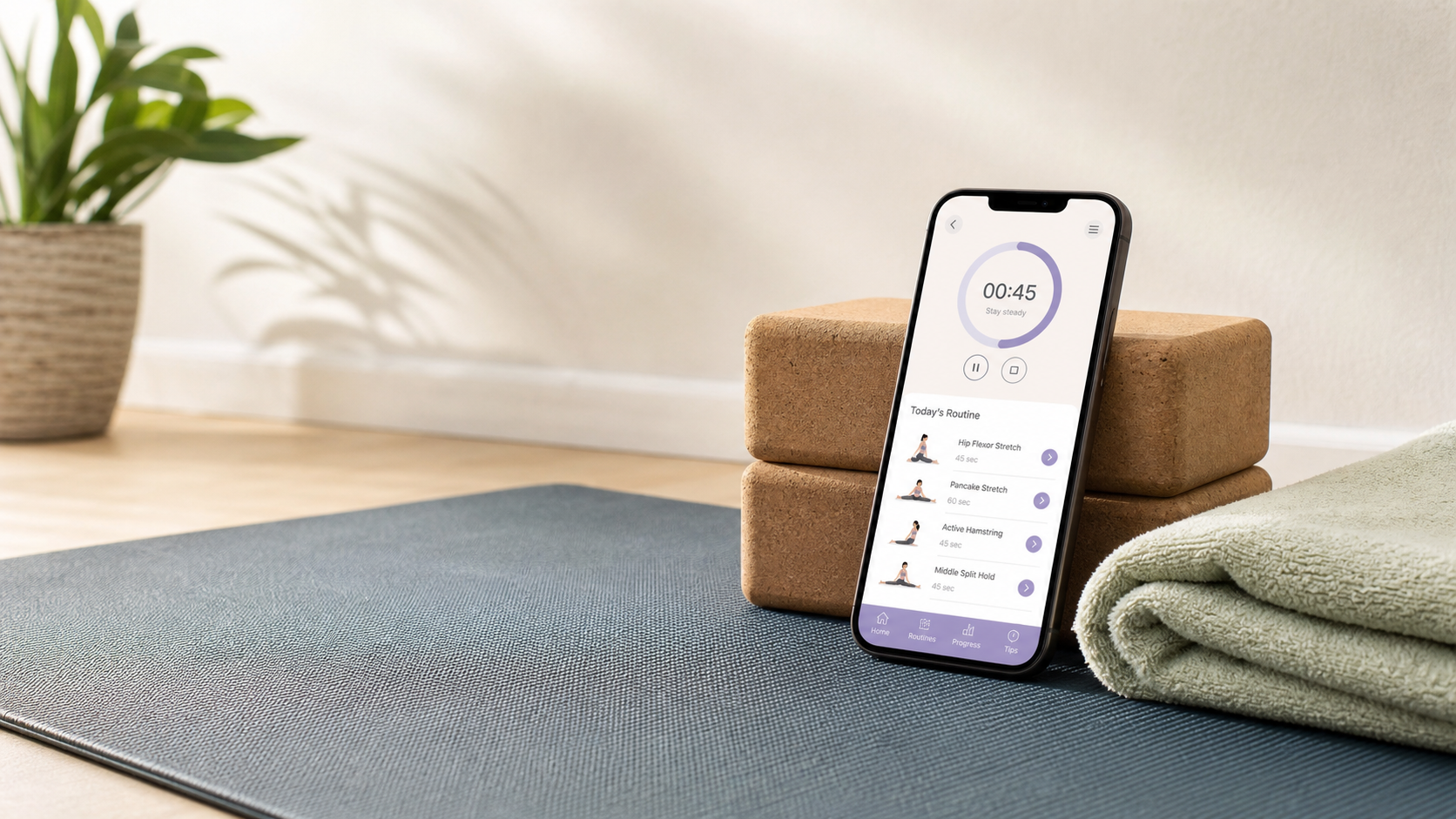
The fastest way to make split training miserable is to download an app that treats every session like a deadline. It says "full splits in 30 days," you push too hard, your hips or hamstrings complain, and the routine becomes another app you avoid.
A stretching app for splits should do the opposite. It should make the next gentle session obvious: warm up, stretch the right areas, use a timer, stop before pain, and repeat often enough that progress has a chance.
If you want the broader app checklist first, use the stretching and flexibility app guide. If your hips are the main blocker, start with hip mobility exercises for beginners before testing deeper split positions.
What is a stretching app for splits?
A stretching app for splits is a guided app that helps you practice hip, hamstring, inner-thigh, and glute flexibility with a repeatable routine. The useful version gives you warm-ups, timers, side switches, easier options, and stop guidance instead of promising a full split by a fixed date.
A split-training stretching app is a consistency tool for gradually practicing the ranges used in front splits or middle splits. It should help you choose the right next stretch, not pressure you to force an end position.
That distinction matters. The splits are not one stretch. Front splits ask a lot from hip flexors and hamstrings. Middle splits ask more from adductors and hip rotation. A good app keeps those pieces separate enough that you can build them gently.
What is the fastest rule for choosing a splits app?
Choose the app that makes the first two weeks feel almost too easy. The best splits app starts with short routines, beginner modifications, visible timers, and realistic progress language. If the app sells pain, speed, or extreme poses as the main feature, skip it.
Use this decision table before you commit:
| What the app says | What it usually means | Better choice |
|---|---|---|
| "Full splits in 30 days" | Deadline pressure | Gradual range practice |
| "Push deeper every day" | Too much intensity | Mild holds with rest days |
| No warm-up step | Cold end-range stretching | Easy movement first |
| Only deep split poses | Missing foundations | Hips, hamstrings, adductors, glutes |
| No pain guidance | Higher chance of overdoing it | Clear stop signs and easier options |
The app should reduce effort by answering the small questions: what do I do first, how long do I hold, when do I switch sides, and when am I done?
Which stretches should a splits app include?
A splits app should include hip flexor stretches, hamstring stretches, adductor stretches, glute or figure-four options, and gentle hip rotation work. Those areas support the positions people usually mean when they search for stretches for splits.
Start with this simple map:
| Goal | Main areas | Useful Wiggle guide |
|---|---|---|
| Front split | Hip flexors and hamstrings | Hip flexor stretches |
| Middle split | Adductors and hip rotation | Adductor stretches |
| Easier floor setup | Glutes and outer hips | Hip external rotation stretches |
| Less pinching | Hip control and warm-up | 90/90 hip stretch |
| General flexibility | Full-body consistency | Full body stretching routine |
Do not start with your deepest split attempt. Put the end-range position near the end, after the body is warm and the supporting areas have already moved.
From Wiggle
Recommended moves
What is a beginner split-training routine?
A beginner split-training routine should take 8 to 12 minutes and cover warm-up movement, hip flexors, hamstrings, adductors, hip rotation, and one gentle split-like check at the end. The goal is repeatable practice, not a max-depth photo.
Try this structure:
| Step | Time | Keep it safe by |
|---|---|---|
| Easy walk, march, or dynamic movement | 90 sec | Getting warm before static holds |
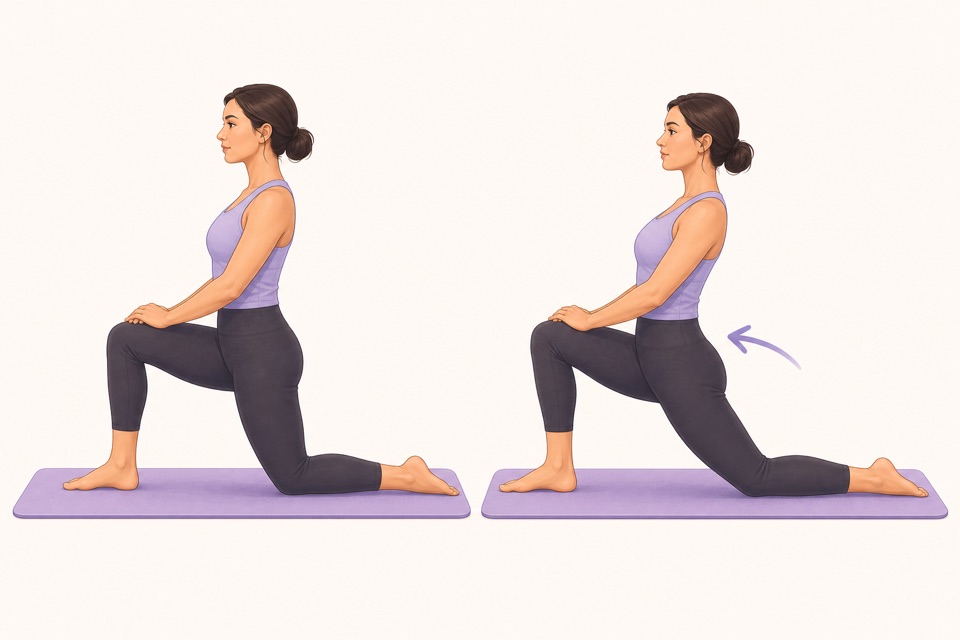
| Kneeling hip flexor stretch | 2 min | Using a cushion and avoiding a back arch |
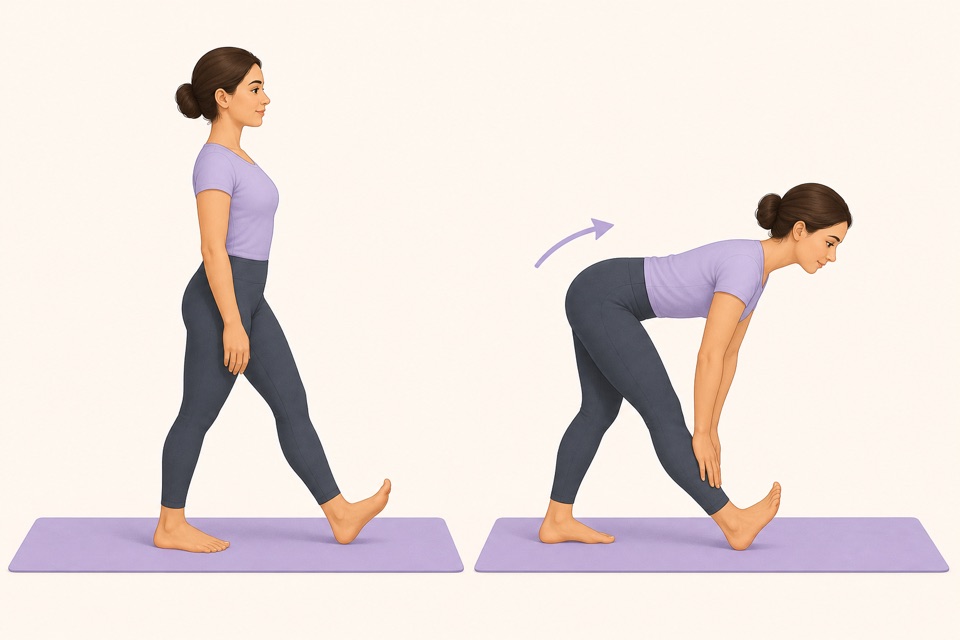
| Standing hamstring stretch | 2 min | Keeping a soft knee and mild tension |
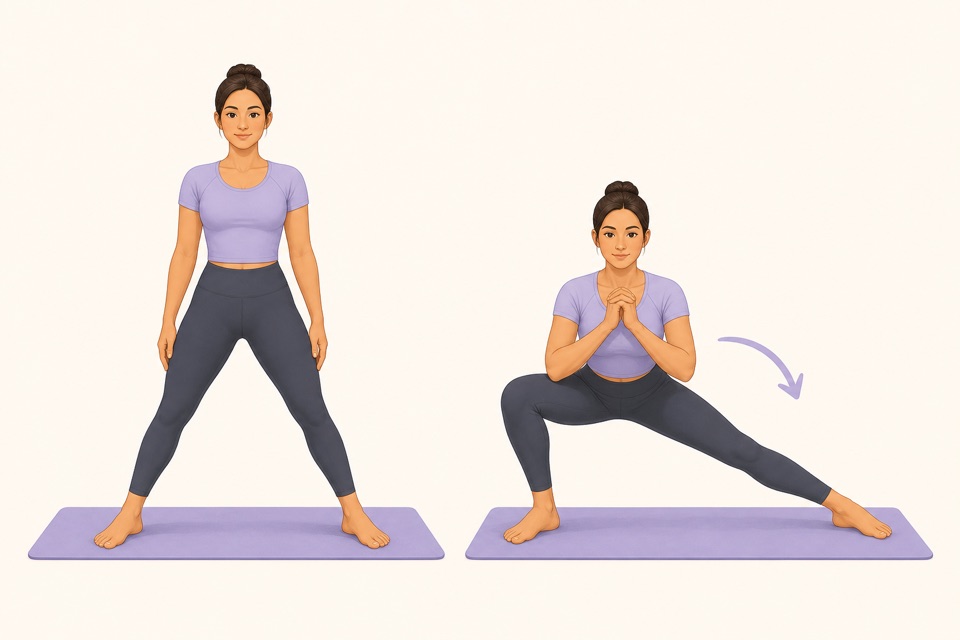
| Side-lunge adductor stretch | 2 min | Shifting only as far as comfortable |
| Seated figure-four or supported 90/90 | 2 min | Reducing the angle if the hip pinches |
| Supported split-like position | 60 sec | Using blocks, staying high, and stopping early |
For the supported split-like check, keep your hands on blocks, a chair, or the floor. Stay high enough that breathing is normal. If you feel sharp pain, pinching, numbness, tingling, weakness, or joint stress, come out of the position.
How often should you use a stretching app for splits?
Most beginners should start with three to five short sessions per week, with rest days or lighter mobility days between harder sessions. A little consistency usually beats daily max-range stretching that irritates the hips or hamstrings.
Use this first-week plan:
- Day 1: 8-minute foundation routine.
- Day 2: Rest or easy walking.
- Day 3: 10-minute hips and hamstrings.
- Day 4: Gentle mobility app style session.
- Day 5: 8-minute foundation routine again.
- Day 6: Optional light stretches for tight hips.
- Day 7: Rest and note what felt easier.
Mayo Clinic's stretching guidance emphasizes gentle technique, steady breathing, and not bouncing or forcing pain. That is the right standard for split training too.
What should split-training apps not promise?
Split-training apps should not promise that everyone can reach the splits on the same timeline. Flexibility changes are affected by anatomy, current range, past training, strength, consistency, injuries, sleep, recovery, and how aggressively the routine is applied.
Watch for these red flags:
- A fixed-day guarantee.
- Pain framed as progress.
- Deep poses before warm-up.
- No easier version for stiff hips or tight hamstrings.
- No rest-day guidance.
- No warning about sharp pain, numbness, weakness, or injury-related symptoms.
A good app should make you more patient, not more reckless. If a routine leaves you irritated for the next day, it was too much.
How can Wiggle help with split training?
Wiggle helps by turning split training into a short guided habit instead of a guessing game. You can save a routine for hip flexors, hamstrings, adductors, and hip rotation, then let the timer handle holds and side switches.
Start with this Wiggle-style flow:
- Warm up for 90 seconds.
- Stretch hip flexors on both sides.
- Stretch hamstrings on both sides.
- Add side-lunge adductor work.
- Add a gentle figure-four or 90/90 option.
- Finish with a supported range check, not a forced split.
If you want the app-led path, open the Wiggle download page, save a beginner routine, and repeat it before adding deeper positions. The easiest win is not getting the split today. It is making the next practice session feel simple enough to start.
Sources
Why we keep it gentle
These guides are written for everyday stiffness and habit-building. They are grounded in mainstream guidance on flexibility, movement, and when to seek medical help.
- Stretching: Focus on flexibilityMayo Clinic
- Physical Activity Guidelines for AmericansU.S. Department of Health and Human Services
- Exercise and Physical FitnessMedlinePlus
- Stretching and FlexibilityAmerican College of Sports Medicine
FAQ
Questions people ask
What is the best stretching app for splits?
The best stretching app for splits is one that builds range gradually with short guided sessions, clear timers, beginner options, and honest stop signs. Avoid apps that promise a full split by a fixed date or push deep holds before your hips and hamstrings are ready.
Can a stretching app help me get the splits?
A stretching app can help you practice consistently, choose useful stretches, and track a gradual routine. It cannot guarantee the splits, because range depends on anatomy, training history, strength, consistency, injuries, and how your body responds.
How long should a splits stretching routine take?
Start with 8 to 12 minutes, three to five times per week. That gives you time for a warm-up, hip flexors, hamstrings, adductors, glutes, and a gentle end-range check without turning the session into an aggressive flexibility workout.
Should split training hurt?
No. Split training should feel like mild to moderate stretch tension, not sharp pain, pinching, numbness, tingling, weakness, or joint stress. Pain is a stop signal, not proof that the routine is working.
Can beginners use Wiggle for split training?
Yes. Beginners can use Wiggle for split training by saving a gentle hip, hamstring, and inner-thigh routine with clear timers. Keep the first goal consistency and comfort, not a full split by a deadline.