Wiggle guide
Mobility App: How to Choose One for Everyday Stiffness
A practical guide to choosing a mobility app for desk stiffness, tight hips, beginner routines, and short daily movement breaks.
mobility app
The annoying part of feeling stiff is not usually ignorance. You know you should move. The problem is opening your phone, seeing too many workouts, wondering whether you need stretching, mobility, yoga, rehab, or strength work, and then doing nothing because the first decision took too much energy.
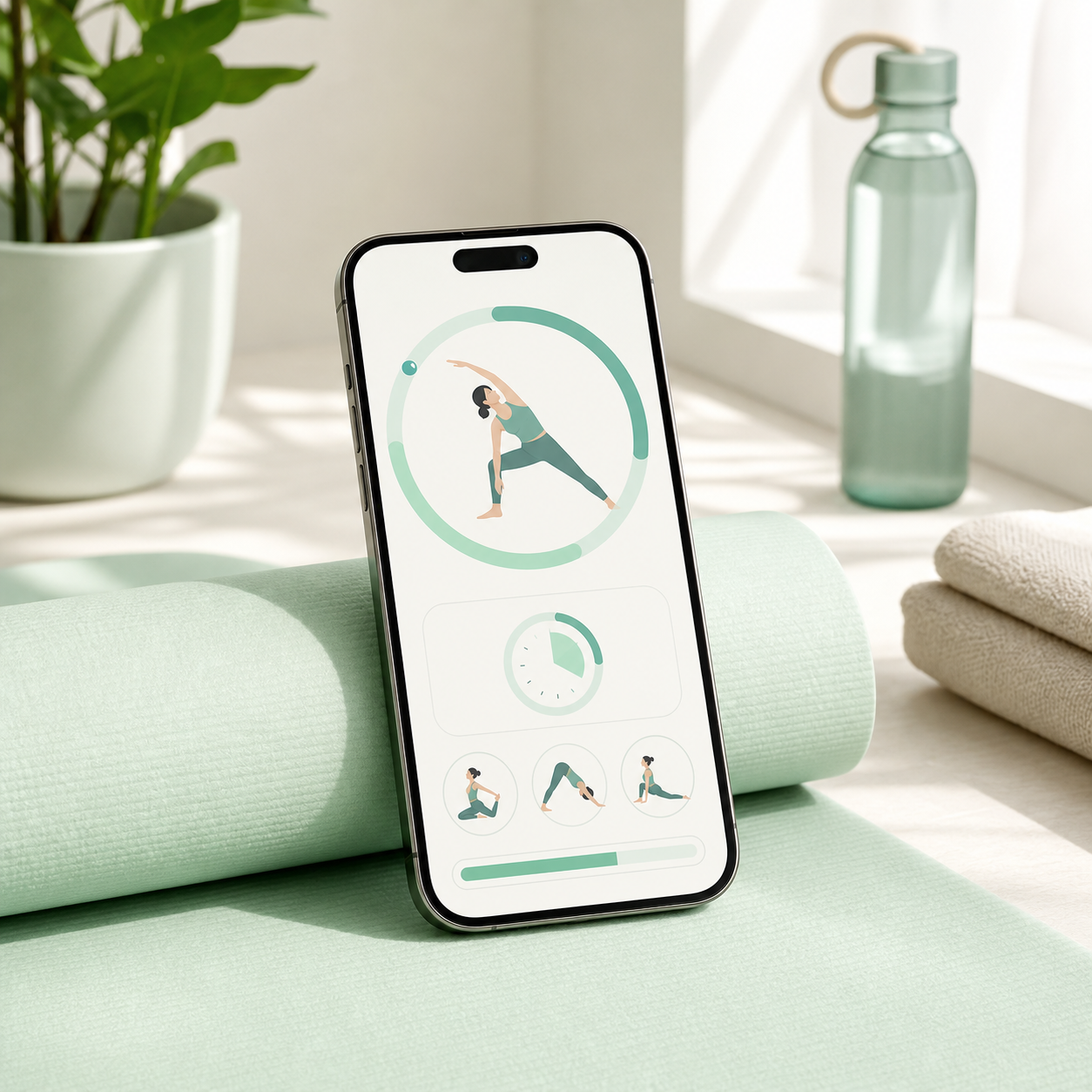
A good mobility app should make the next five minutes obvious. It should tell you what to move, how long to stay there, when to switch sides, and when to stop. Wiggle is built for that everyday version of mobility: gentle, timed routines for people who want less stiffness without turning a small break into a full workout.
What is a mobility app?
A mobility app is a guided movement app that helps you move joints through comfortable ranges, follow short routines, and repeat the sessions that fit your day. For most beginners, it should combine active movement, gentle stretching, clear timing, and simple categories like desk reset, tight hips, back stiffness, and morning movement.
Mobility is your ability to move through useful ranges with control and comfort. For daily life, that means getting your neck, shoulders, spine, hips, knees, and ankles moving enough for sitting, standing, walking, reaching, and relaxing without making the routine feel extreme.
Do you need a mobility app or a stretching app?
If you feel stiff before you move, start with mobility. If you feel tight after you move, add stretching. The simplest app choice is not either/or: pick an app that starts with gentle range-of-motion work, then uses short stretches to finish the routine.
Use this decision table:
| You searched because... | Better starting point | What the app should show | | --- | --- | --- | | You feel stiff after sitting | Mobility first | Neck, shoulder, spine, hip, and ankle movement | | One area feels tight | Stretching after warm-up | Gentle holds with side switches and timers | | You are a beginner | Short mixed routine | Simple visuals, plain instructions, and stop signs | | You forget to move | Habit support | Reminders, saved routines, and fast starts | | You have pain, injury, or symptoms | Professional guidance first | Only general wellness movement if cleared |
That distinction matters because a static stretch can feel too abrupt when your body has been still for hours. A few easy moving drills first can make the stretch feel calmer.
For the stretching-first version, read best app for stretching and flexibility. For the broader combined page, use mobility and flexibility app.
What should a good mobility app include?
A good mobility app should reduce decisions. The routine should be short enough to start, clear enough to follow without rewinding, and gentle enough that you are willing to repeat it tomorrow. If the app makes you browse for ten minutes before moving, it has already failed the job.
Look for:
- 5 to 10 minute beginner routines.
- A visible timer for every movement and hold.
- Exercise visuals that explain the position quickly.
- Categories for desk stiffness, hips, back, shoulders, mornings, and bedtime.
- Reminders that help without nagging.
- The ability to repeat a familiar routine instead of rebuilding it.
- Safety language that tells you not to push through pain.
Mayo Clinic stretching guidance emphasizes controlled technique, normal breathing, and avoiding pain. The same idea applies to app-led mobility: useful movement should feel controlled, not like a test you are trying to win.
From Wiggle
Recommended moves
What is the best first mobility routine?
The best first routine is a full-body reset that takes 5 to 8 minutes and does not require equipment. Move from top to bottom: neck, shoulders, spine, hips, hamstrings, calves, and ankles. Keep everything comfortable enough that you could repeat the same session tomorrow.
Try this order:
- 60 seconds easy standing march or slow walk.
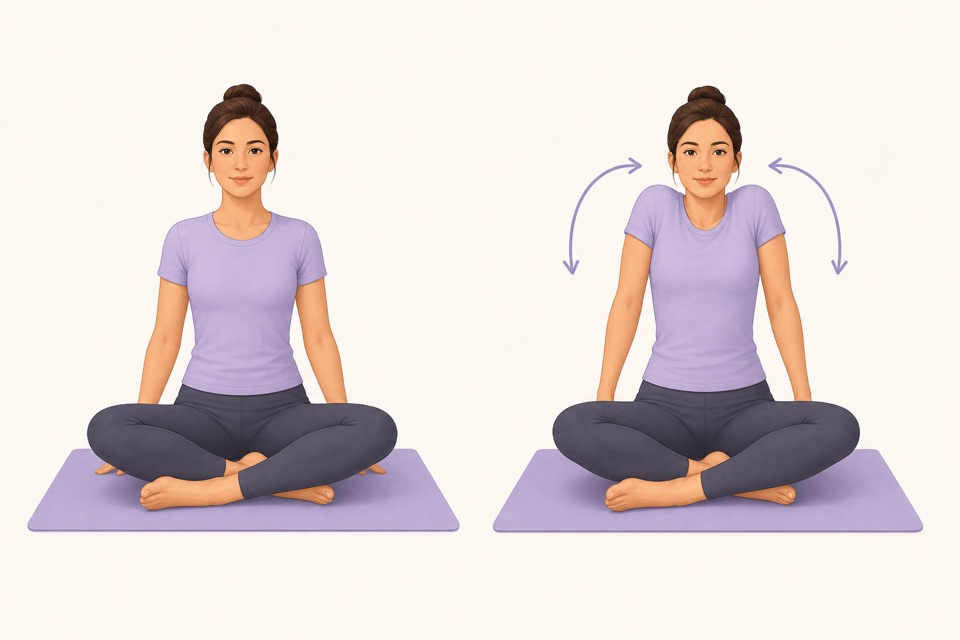
- 45 seconds shoulder circles.
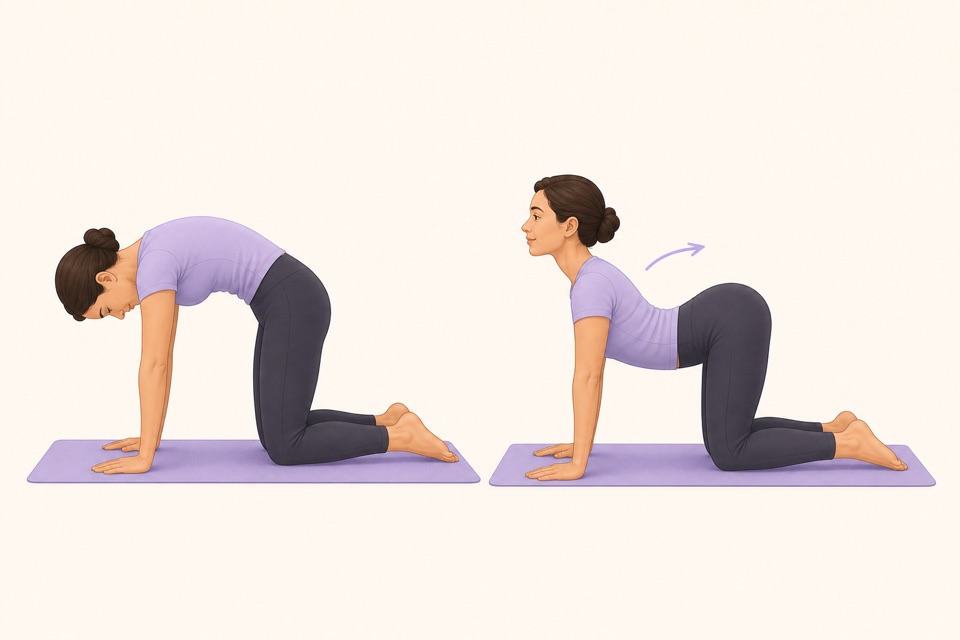
- 45 seconds cat cow or seated cat cow.
- 45 seconds each side standing figure-four or seated figure-four.
- 45 seconds each side standing hamstring stretch.
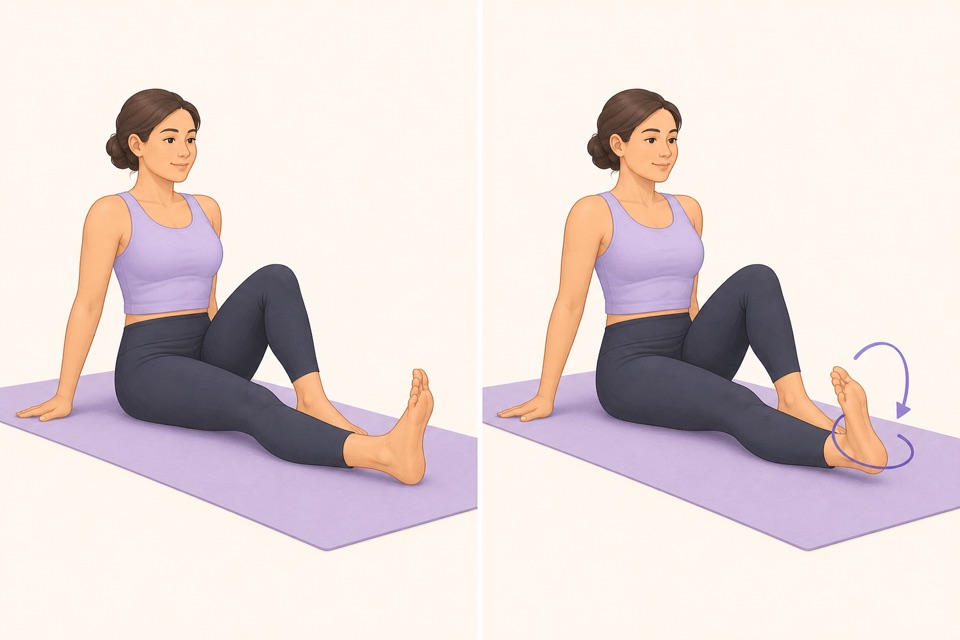
- 45 seconds ankle circles.
- 60 seconds easy breathing while standing tall.
If you only have one rule, use this: finish before the routine becomes a project. A 7-minute session that happens four times a week beats a perfect 35-minute plan that you avoid.
For a routine-first guide, use morning mobility routine. If hips are the main blocker, start with the hip mobility test before choosing stretches.
How can Wiggle make mobility easier to repeat?
Wiggle helps when the blocker is friction, not motivation. The app gives you a guided routine, exercise visuals, timers, and reminders so the session starts before you can negotiate yourself out of it.
Use Wiggle like this:
- Pick one routine category for the moment: desk, hips, back, sleep, morning, or full-body.
- Keep the first week short.
- Repeat the same session until it feels familiar.
- Add longer routines only after the habit is already real.
- Use the download page when you want the app rather than another saved article.
Wiggle is not trying to be a sport-performance mobility coach or a medical rehab plan. It is for normal people with normal stiffness who need a small, guided way to move more often.
When should you avoid app-only mobility?
Avoid relying on a mobility app alone if you have sharp pain, numbness, tingling, weakness, radiating symptoms, dizziness, recent injury, unexplained symptoms, or a medical condition where movement guidance should be personalized. In those cases, ask a qualified professional what is appropriate.
The U.S. Physical Activity Guidelines support regular movement for health, but they do not mean every routine is right for every body. A good app should help with general wellness movement. It should not pretend to diagnose pain or replace care.
Sources
Why we keep it gentle
These guides are written for everyday stiffness and habit-building. They are grounded in mainstream guidance on flexibility, movement, and when to seek medical help.
- Stretching: Focus on flexibilityMayo Clinic
- Physical Activity Guidelines for AmericansU.S. Department of Health and Human Services
- Exercise and Physical FitnessMedlinePlus
FAQ
Questions people ask
What is a mobility app?
A mobility app is a guided app that helps you move joints through comfortable ranges, follow short routines, time each movement, and repeat the sessions that fit your body. For everyday stiffness, the best mobility app should feel simple, gentle, and easy to restart.
Is a mobility app different from a stretching app?
Yes, but they overlap. A mobility app usually includes active range-of-motion work, while a stretching app focuses more on gentle holds. Most people with everyday stiffness do best with both: a few moving drills followed by simple stretches.
Who should use a mobility app?
A mobility app is useful for desk workers, beginners, people who feel stiff after sitting, and anyone who wants a short guided routine instead of building a plan from scratch. It should not replace medical care, rehab, or sport-specific coaching.
How long should a mobility app routine be?
Start with 5 to 10 minutes. That is long enough to move the neck, shoulders, spine, hips, and ankles, but short enough to repeat on busy days. Consistency matters more than a long first session.
How does Wiggle work as a mobility app?
Wiggle works as a gentle mobility and stretching app by giving you short timed routines, beginner-friendly exercise visuals, reminders, and simple categories for desk stiffness, hips, back, mornings, bedtime, and full-body resets.