Wiggle guide
Stretching App for Posture: A 6-Minute Reset for Screen Days
How to choose and use a stretching app for posture when your neck, chest, upper back, and hips feel locked after sitting.
stretching app for posture
The painful part of "fixing posture" is that most advice sounds like homework. Sit taller. Pull your shoulders back. Stretch more. Then the next meeting starts, the screen pulls you forward, and the whole plan disappears.
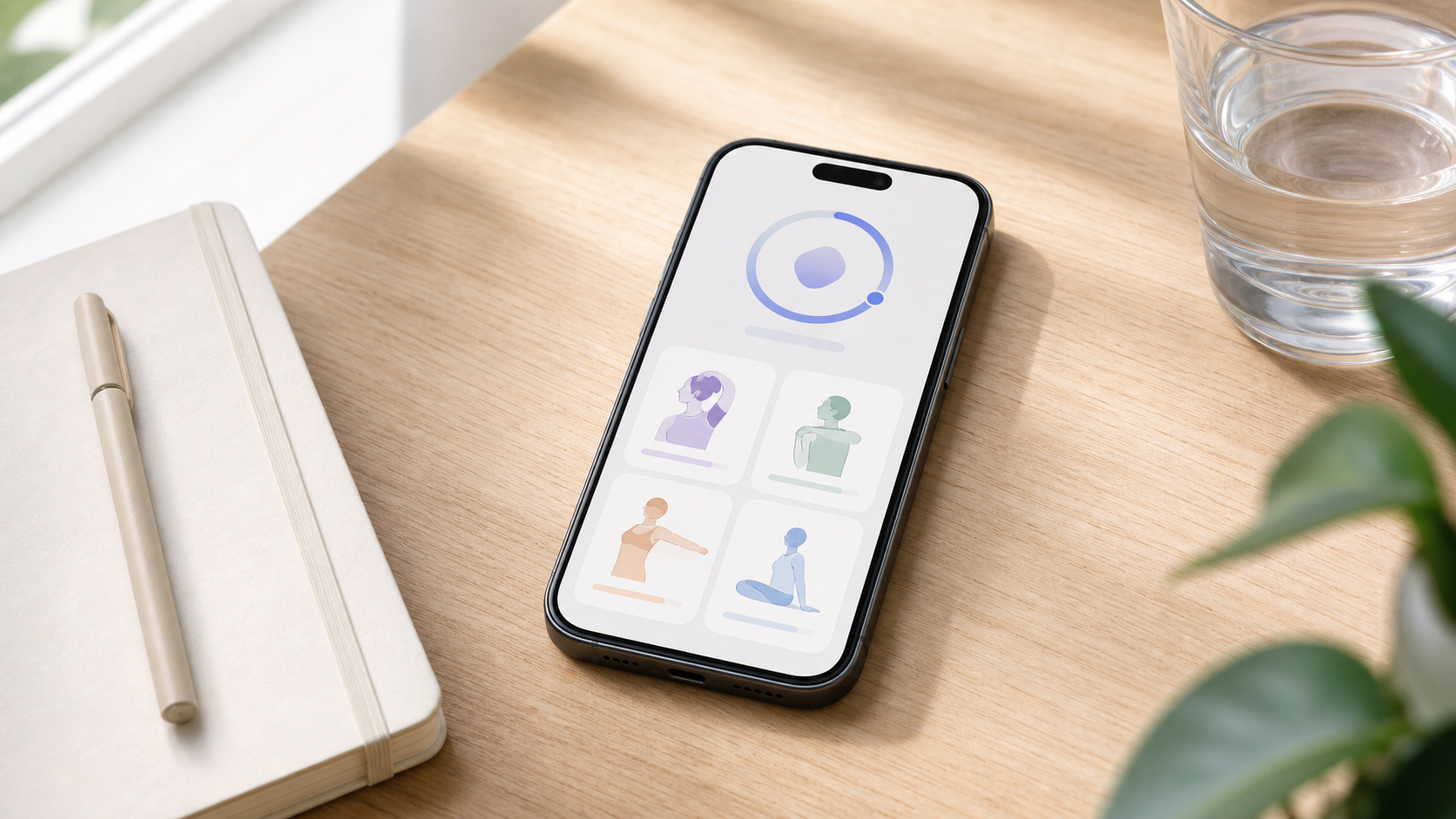
A stretching app for posture should make the next six minutes obvious. Open the app, follow a short reset for chest, neck, upper back, hips, and hamstrings, then go back to your day without turning posture into a second job.
If you want the exercise-only version first, use the focused stretches for posture routine. If the stiffness is mostly from work, compare this with the stretching app for desk workers guide.
What is a stretching app for posture?
A stretching app for posture is a guided app that helps you move out of the positions you hold for too long. It should combine short timers, clear stretch visuals, seated or standing options, and repeatable routines for screen-heavy days. It is not a diagnosis tool or a promise that one stretch will "correct" posture.
A posture reset is a short movement break that targets common sitting shapes: forward neck, rounded upper back, tight chest, quiet hips, and stiff hamstrings. The goal is not to hold one perfect position all day. The goal is to give your body more movement options.
What should the first routine include?
The first routine should be boring in the best way: small neck turns, a chest opener, shoulder blade movement, a supported hip flexor stretch, and a gentle hamstring or calf finish. That mix covers the areas most screen days compress without asking you to lie on the floor or change clothes.
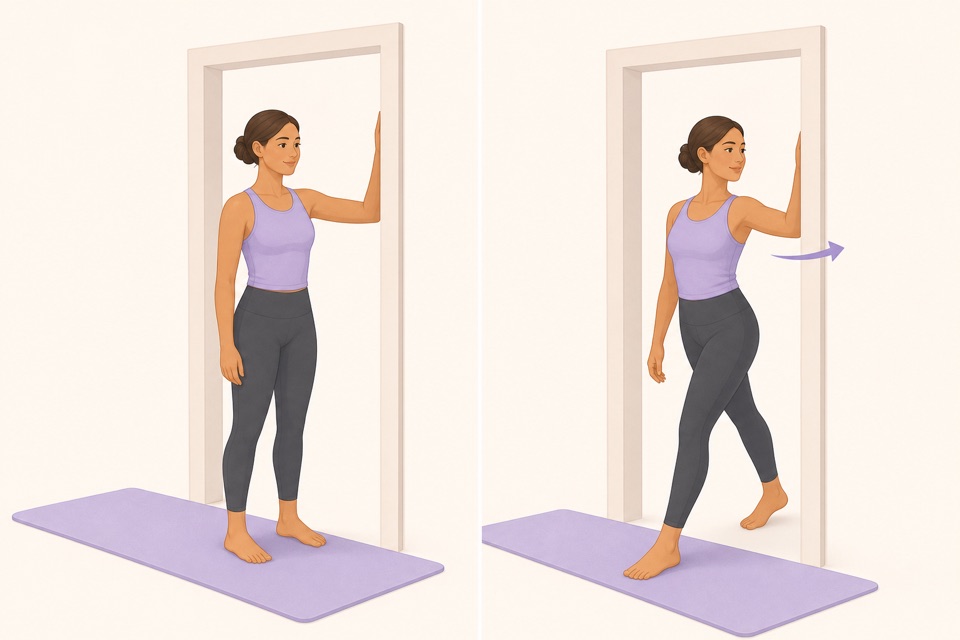
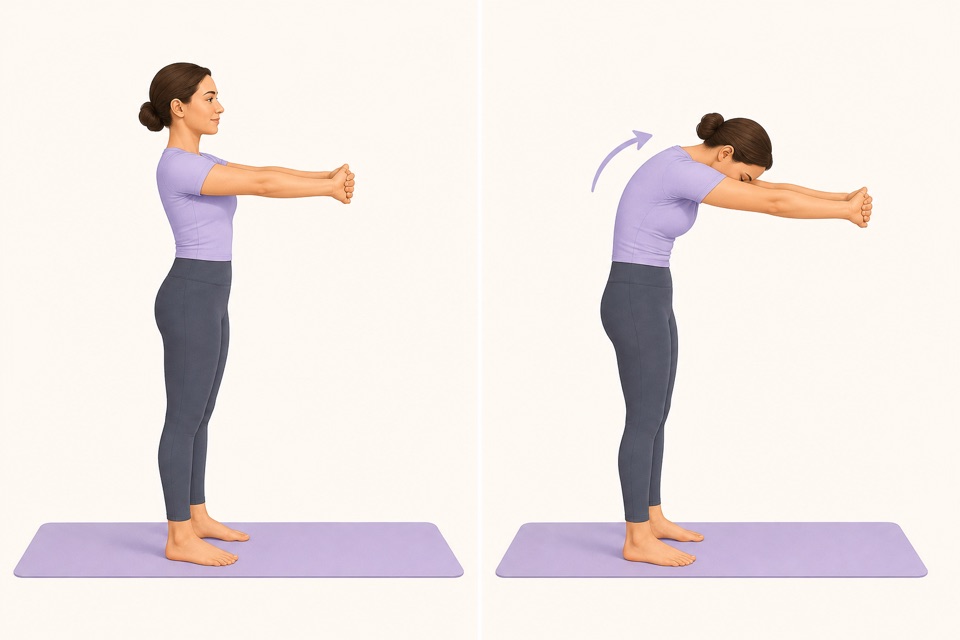
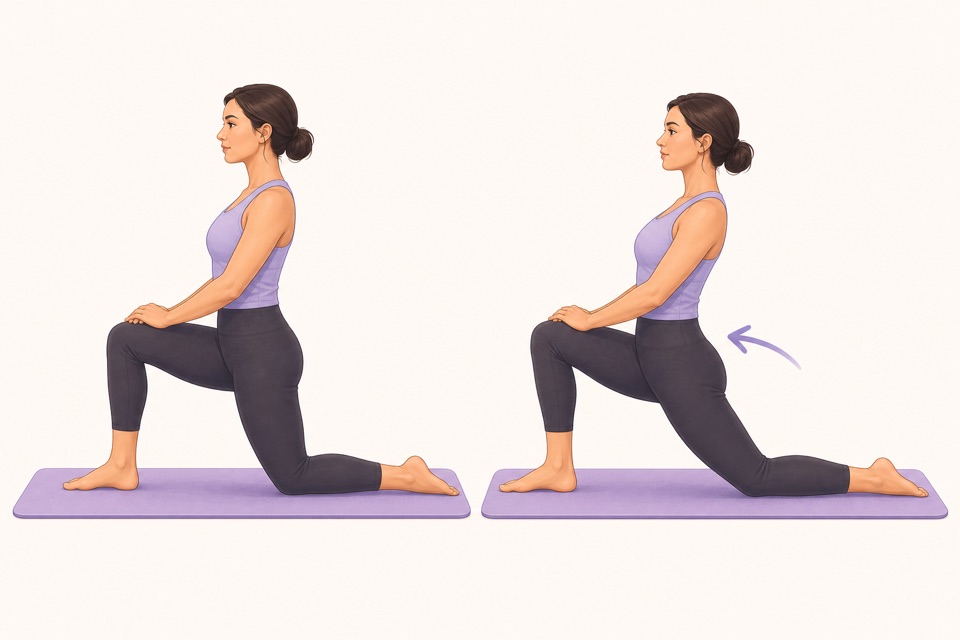
| Area that feels stuck | App routine to choose | Easiest movement | | --- | --- | --- | | Neck after laptop work | Neck and shoulder reset | Slow neck turns | | Chest after hunching | Posture opener | Doorway chest stretch | | Upper back between shoulder blades | Desk reset | Upper-back reach | | Front of hips after sitting | Hip flexor reset | Supported hip flexor stretch | | Back of legs after long sitting | Lower-body reset | Soft-knee hamstring stretch |
For a narrow neck-and-screen routine, start with neck stretches at desk. For shoulders specifically, use shoulder stretches at desk.
How do you choose a good posture app?
Choose the app that reduces friction fastest. The right posture app should open quickly, show the next movement clearly, keep the timer visible, and let you repeat the same routine until it feels familiar. If it buries you in advanced mobility categories, it is solving the wrong problem.
Use this checklist before you commit:
- Can you start a posture reset in one or two taps?
- Does it include seated and standing options?
- Are the visuals clear enough to follow without rewinding?
- Does the timer tell you when to switch sides?
- Can you save one default routine for workdays?
- Does the app avoid pain-as-progress language?
The fast rule: if the routine requires a mat, a long video, or ten choices before you start, it is probably too heavy for the moment when posture stiffness actually appears.
How can Wiggle make posture work easier to repeat?
Wiggle helps because posture work usually fails at the start line, not during the stretch. A guided timer, simple exercise visuals, and saved short routines remove the decision-making that makes people delay the reset until the day is already over.
A practical Wiggle posture flow can look like this:
- Neck turns for 45 seconds.
- Doorway chest stretch for 60 seconds.
- Shoulder blade squeeze and release for 45 seconds.
- Upper-back reach for 60 seconds.
- Supported hip flexor stretch for 90 seconds.
- Soft-knee hamstring stretch for 90 seconds.
That is enough to interrupt the sitting pattern without pretending a stretch app is physical therapy. For everyday stiffness, the useful win is finishing a small routine often.
From Wiggle
Recommended moves
When should you use posture stretches during the day?
Use posture stretches before the stiffness becomes the whole story. The best timing is after long calls, between deep-work blocks, after commuting, or when you notice your chest, neck, or hips asking for a position change. Waiting until pain is loud makes the routine feel bigger than it needs to be.
Try this simple schedule for one week:
- One six-minute reset after the longest sitting block.
- One two-minute neck and chest reset on meeting-heavy days.
- One bedtime or full-body session if the workday follows you home.
- One rest day if the routine starts feeling like a chore.
If your back is the main issue, use the stretching app for lower back guide instead. If the problem is broader office stiffness, stretching app for office workers covers wrists, calves, hips, shoulders, and back together.
What should posture stretching not promise?
Posture stretching should not promise instant correction, permanent pain relief, or a medical answer for symptoms. Stretching is useful for comfort, movement variety, and habit-building, but posture also depends on strength, workstation setup, stress, sleep, vision, injuries, and how often you change positions.
That honesty matters. A good app should help you move more gently and more often. It should also tell you to stop when symptoms are sharp, strange, or worrying.
Sources
Why we keep it gentle
These guides are written for everyday stiffness and habit-building. They are grounded in mainstream guidance on flexibility, movement, and when to seek medical help.
- Stretching: Focus on flexibilityMayo Clinic
- Physical Activity Guidelines for AmericansU.S. Department of Health and Human Services
- Back painMedlinePlus
- Computer workstation ergonomicsOSHA
FAQ
Questions people ask
Can a stretching app improve posture?
A stretching app can support better posture habits by helping you move out of the same sitting shape more often. It should not promise a medical fix or force a perfect position. The useful part is a short, repeatable routine for chest, neck, upper back, hips, and hamstrings.
What should a posture stretching app include?
Look for short posture resets, clear visuals, a visible timer, standing and seated options, saved routines, and gentle reminders. The app should make the first stretch obvious when your shoulders, neck, chest, or hips feel stuck after screen time.
How long should a posture reset take?
Five to eight minutes is enough for most everyday posture resets. A short routine you repeat during the week is more useful than a long corrective session you only do once.
Is posture stretching different from strength training?
Yes. Stretching can reduce the friction of moving out of a stiff position, while strength work helps you control positions over time. A wellness app should be honest about that difference instead of pretending stretches alone solve every posture problem.
When should I avoid using posture stretches?
Skip the routine and ask a qualified professional if symptoms are new, severe, persistent, injury-related, or include sharp pain, numbness, weakness, dizziness, chest pain, or symptoms that worry you.