Wiggle guide
Neck Stretches at Desk: A 5-Minute Screen Break
Gentle neck stretches at desk for screen stiffness, tech neck, and tight shoulders, with a fast routine you can do between meetings.
neck stretches at desk
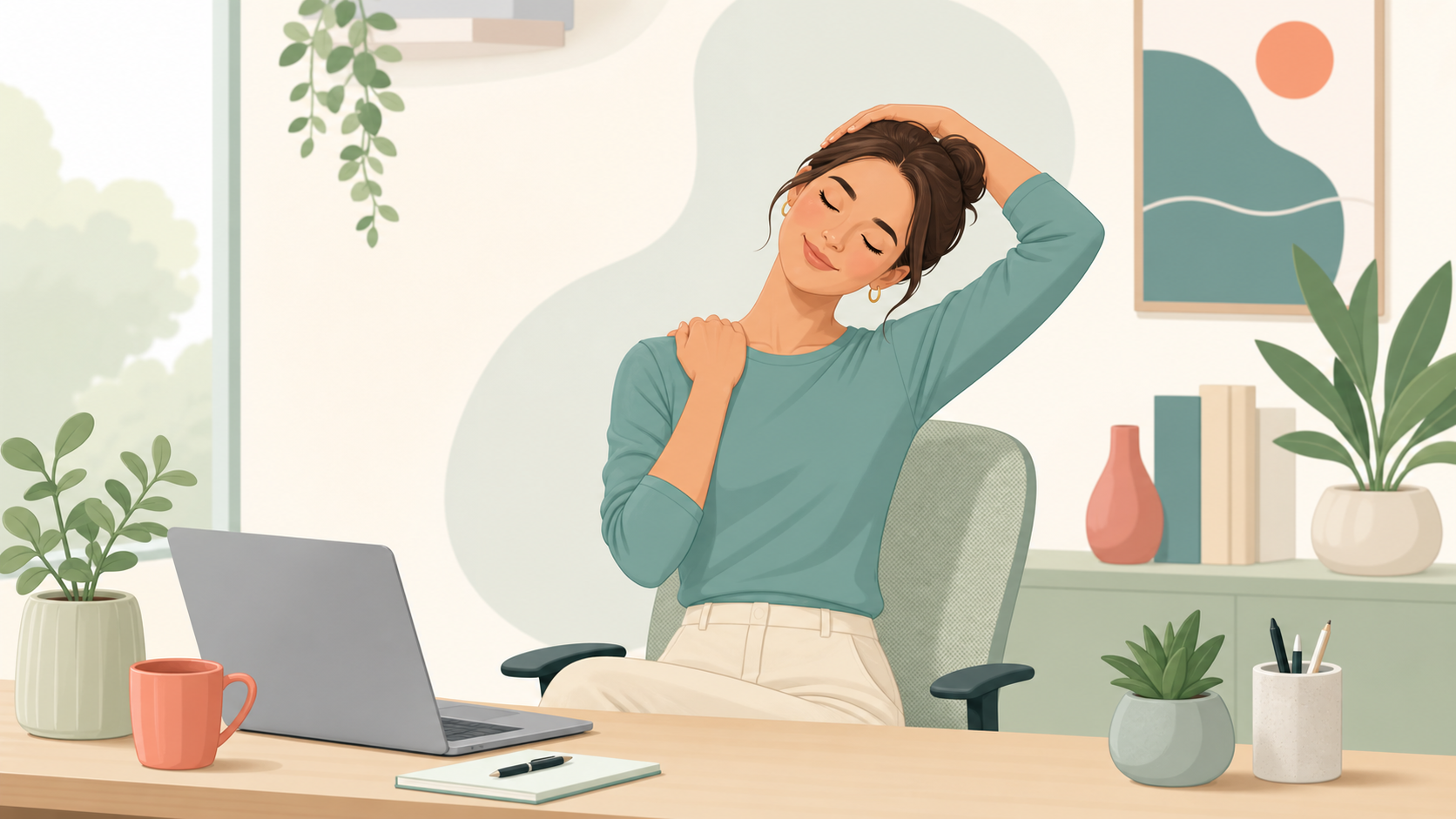
The painful part of desk-neck stiffness is not just the tight feeling. It is the way it keeps returning after every call, spreadsheet block, or long writing session. You stretch once, feel slightly better, then look back down at the screen and rebuild the same position.
If the same guarded feeling is there before you even open the laptop, start with morning neck stretches instead. That routine keeps the range smaller and treats the first few minutes after sleep differently from a workday screen break.
The better outcome is simpler: a neck reset short enough to do before the next meeting, paired with shoulder and chest movement so your neck is not doing all the work.
What are the best neck stretches at desk?
The best neck stretches at desk are gentle movements that reverse screen posture without forcing range: slow rotations, chin tucks, side bends, levator scapulae stretches, shoulder rolls, and a chest opener. Use mild tension only. The goal is a repeatable reset, not a deep stretch contest.
Fast decision rule: if you have 2 minutes, do neck rotations, chin tucks, and shoulder rolls. If you have 5 minutes, add side bends, levator stretches, and a chest opener. If symptoms feel sharp, radiating, dizzying, numb, or worrying, stop and get professional guidance.
Neck stretches at desk are general wellness movements for mild everyday stiffness from screen posture. They are not a diagnosis or treatment plan for neck pain.
What 5-minute desk neck routine should I use?
A good desk neck routine moves from small neck motion to the supporting areas around it. That order matters because the neck usually feels worse when shoulders, chest, and upper back stay locked in the same work posture.
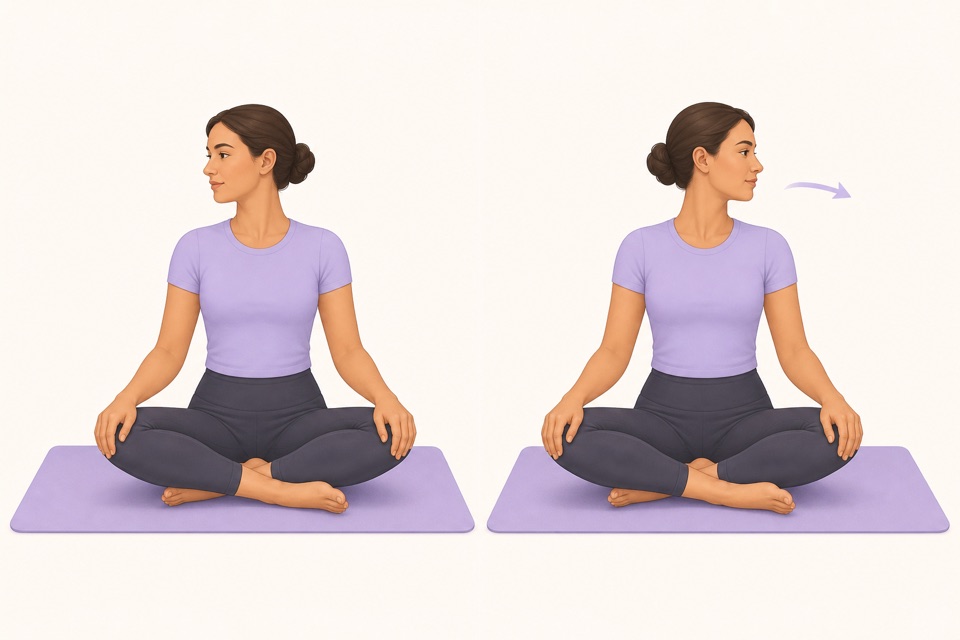
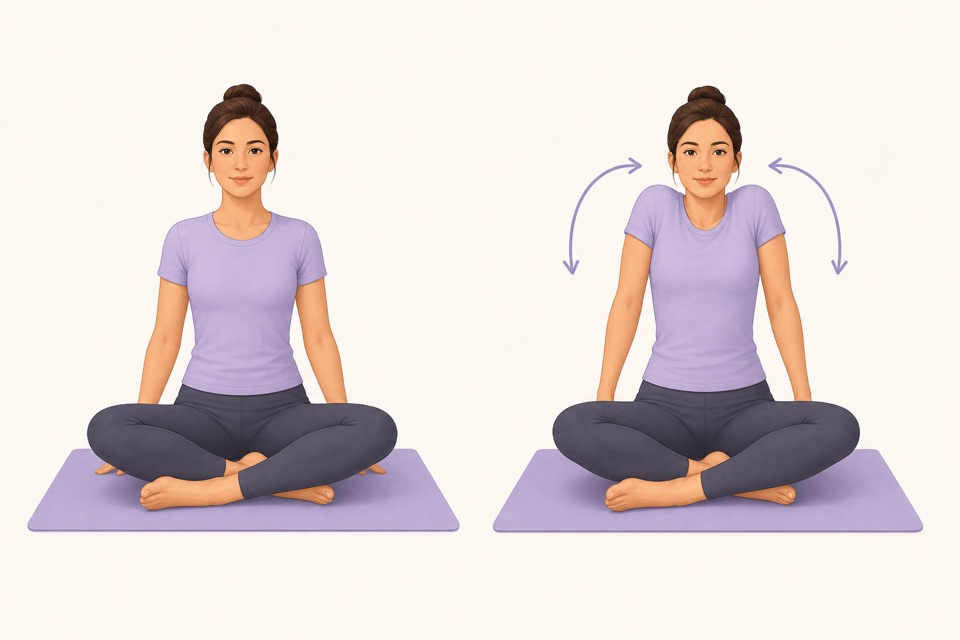
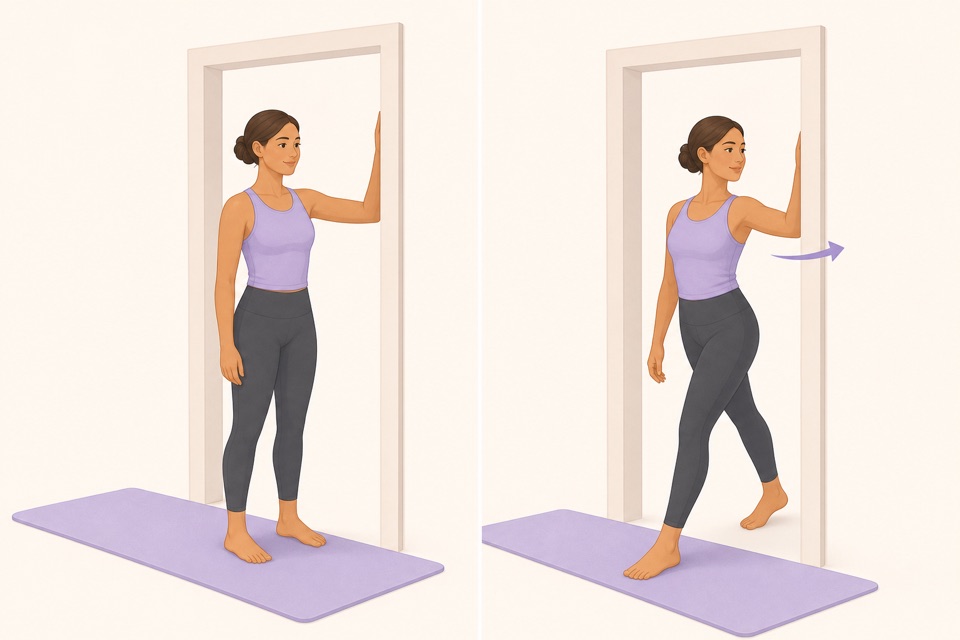
| Step | Time | What to do | Keep it gentle by | | --- | ---: | --- | --- | | Slow neck rotations | 30 sec | Turn left and right without dropping the head back | Moving through a small comfortable range | | Chin tucks | 45 sec | Glide the chin straight back, then release | Avoiding a hard double-chin squeeze | | Upper-trap side bend | 30 sec each side | Let one ear move toward one shoulder | Keeping the opposite shoulder heavy | | Levator scapulae stretch | 30 sec each side | Look gently toward one armpit | Using breath instead of pulling harder | | Shoulder rolls | 45 sec | Circle shoulders slowly backward and forward | Making the circles smooth, not huge | | Chest opener | 45 sec | Open across the chest with hands behind you or near a doorway | Keeping ribs relaxed | | Workstation reset | 30 sec | Stand, breathe, and adjust screen or keyboard position | Changing the position that caused the stiffness |
This routine gives the neck a break, then changes the shoulder and chest position that often keeps the neck tight.
How do I stretch tech neck without making it worse?
Tech neck stretches should start with position changes, not aggressive pulling. If the head has been forward for an hour, the first win is to sit taller, move gently, and bring the screen closer to eye level before chasing more range.
Use this checklist:
- Keep the stretch at mild tension, not pain.
- Move slowly enough that breathing stays normal.
- Skip bouncing and hard end-range holds.
- Add shoulder rolls and chest opening every time.
- Stand up after the routine so the reset is not purely seated.
- Save deeper work for a longer routine outside the work block.
Failure mode to avoid: stretching the side of the neck harder while leaving the laptop low, shoulders rounded, and elbows unsupported. That feels productive for 30 seconds, then the same posture rebuilds the stiffness.
When should desk neck stretches happen during the workday?
Desk neck stretches work best as small interruptions before stiffness becomes the default. Use them after long meetings, before deep-work blocks, after travel or laptop work, and whenever your shoulders creep toward your ears.
For most desk workers, a 2- to 5-minute reset every 60 to 90 minutes is more realistic than waiting until the end of the day. You can also attach the routine to a trigger:
- After the second video call.
- Before lunch.
- After finishing a document.
- Before switching from laptop to phone work.
- Before the last hour of the workday.
Wiggle is useful here because the timer and exercise order are already handled. You open the routine, follow the next movement, and return to work without rebuilding the plan.
From Wiggle
Recommended moves
What should I pair with neck stretches at desk?
Pair neck stretches with shoulder, upper-back, chest, wrist, and hip resets. Desk posture is a whole-body pattern, so a neck-only routine can miss the reason the neck keeps tightening again.
Useful next guides:
- Start broad with desk stretches when your neck, shoulders, back, and hips all feel stiff.
- Use upper back stretches at desk when screen posture feels stuck between the shoulder blades.
- Use chair yoga at desk when you need a seated routine that also covers wrists, hips, and the mid back.
- Use stretches for desk workers when you want a full workday reset.
- Try stretching app for office workers if you want the app-selection version of this workflow.
- Use stretches for posture when rounded shoulders are the bigger issue.
- Open stretching app with reminders if the real problem is remembering to move.
How can a stretching app make neck stretches easier?
A stretching app helps when the blocker is friction, not knowledge. Most people already know they should move. The breakdown is choosing the right stretch, deciding how long to hold it, remembering the next move, and stopping work long enough to start.
Wiggle reduces that effort with short guided routines, visual exercises, a visible timer, and desk-friendly sessions. For this use case, the CTA is specific: open a 5-minute neck-and-shoulder reset before your next meeting instead of saving another article for later.
Sources
Why we keep it gentle
These guides are written for everyday stiffness and habit-building. They are grounded in mainstream guidance on flexibility, movement, and when to seek medical help.
- Stretching: Focus on flexibilityMayo Clinic
- Office ergonomics: Your how-to guideMayo Clinic
- Neck painMedlinePlus
- Physical Activity Guidelines for AmericansU.S. Department of Health and Human Services
FAQ
Questions people ask
What are the best neck stretches at desk?
The best neck stretches at desk are slow neck rotations, chin tucks, upper-trap side bends, levator scapulae stretches, shoulder rolls, and a gentle chest opener. Keep the range small, breathe normally, and use them as a position reset rather than a forceful flexibility test.
How often should I do neck stretches while working?
Start with one 2- to 5-minute reset every 60 to 90 minutes of focused desk work, or after long meetings. Frequent gentle breaks are usually easier to repeat than one long stretching session at the end of the day.
Can neck stretches help tech neck?
Neck stretches can help many people interrupt the forward-head posture pattern that comes with screen work, but they should stay gentle. Pair neck movement with shoulder, chest, and upper-back resets so you are not forcing the neck to solve the whole posture problem.
When should I stop neck stretches?
Stop if you feel sharp pain, numbness, tingling, dizziness, weakness, radiating symptoms, or anything that feels worrying. Ask a qualified professional about new, severe, persistent, injury-related, or medical-condition-related neck pain.
How can Wiggle help with desk neck stretches?
Wiggle turns desk neck stretches into a short guided session with a timer, simple exercise order, and visual cues. That removes the small decisions that usually make people skip movement breaks.