Wiggle guide
Forearm Stretches at Desk: A 5-Minute Typing Reset
Forearm stretches at desk for typing, mouse grip, and wrist stiffness, with a gentle 5-minute routine and clear stop signs.
forearm stretches at desk
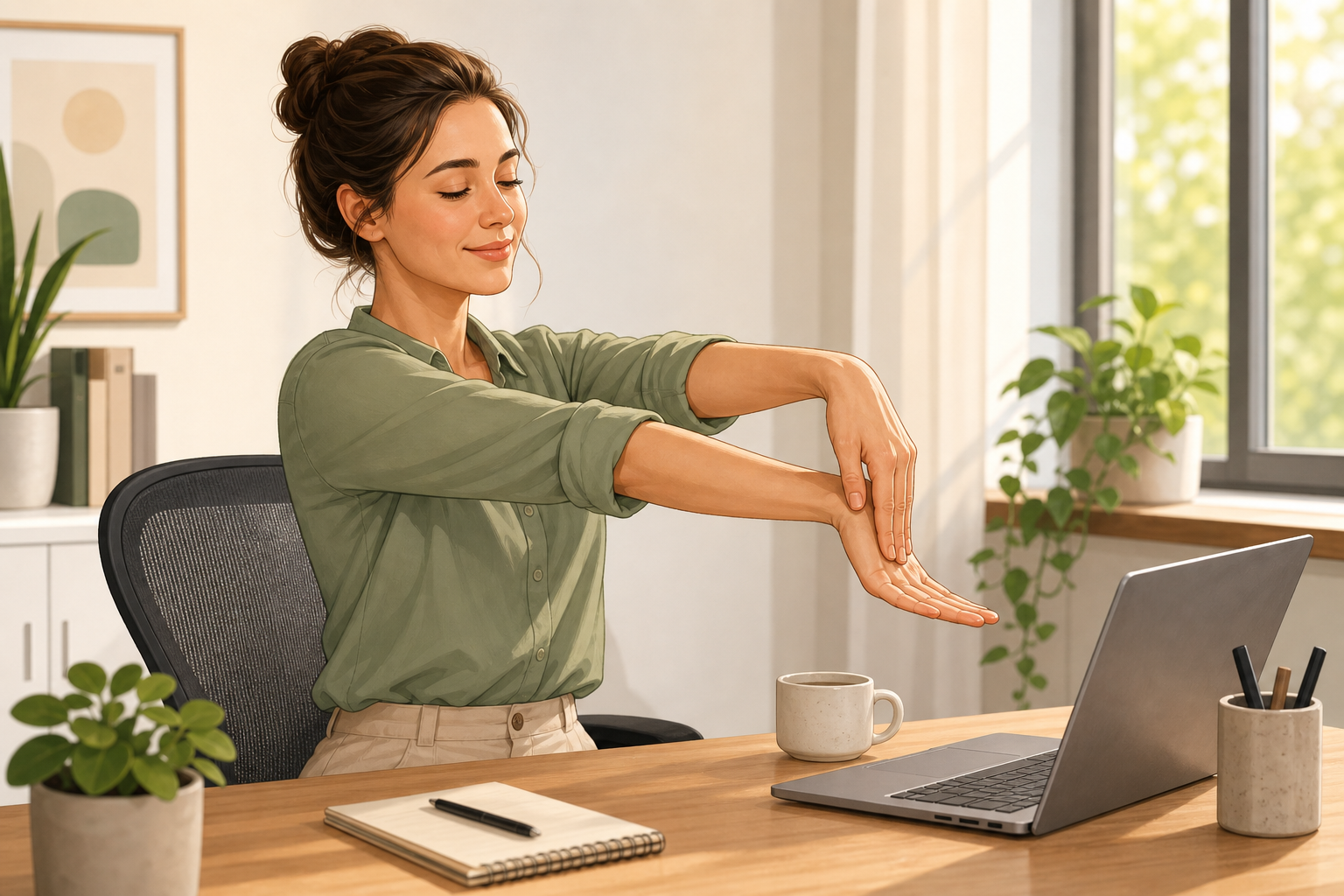
The annoying thing about forearm tightness at work is that it does not feel dramatic at first. It starts as a heavy mouse grip, a stiff wrist after typing, or a dull forearm pull when you finally stop moving the cursor.
The better outcome is a short desk reset that relaxes the grip, stretches both sides of the forearm, and fixes the next work block before the same tension rebuilds. You do not need a mat or a long routine. You need five quiet minutes and one keyboard-and-mouse check.
What are forearm stretches at desk?
Forearm stretches at desk are short wrist, hand, and forearm movements you can do beside a keyboard to interrupt typing, scrolling, and mouse stiffness. They are best for mild everyday tightness, not for diagnosing or treating wrist, hand, tendon, nerve, or repetitive strain problems.
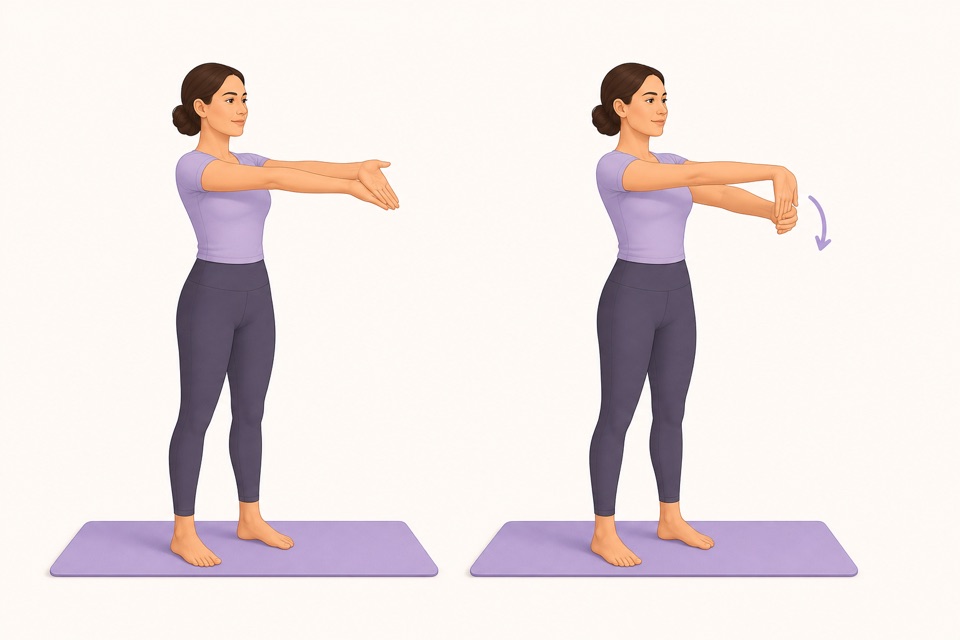
Fast decision rule: if the palm-side forearm feels tight, start with the palm-up stretch. If the top of the forearm feels tight, use the palm-down stretch. If symptoms feel sharp, numb, weak, swollen, or worrying, skip stretching and get qualified guidance.
What 5-minute forearm stretch routine should I use at work?
A good desk forearm routine starts with easy movement, then stretches the wrist positions repeated during keyboard and mouse work. Keep the pull mild, breathe normally, and stay away from end-range forcing.
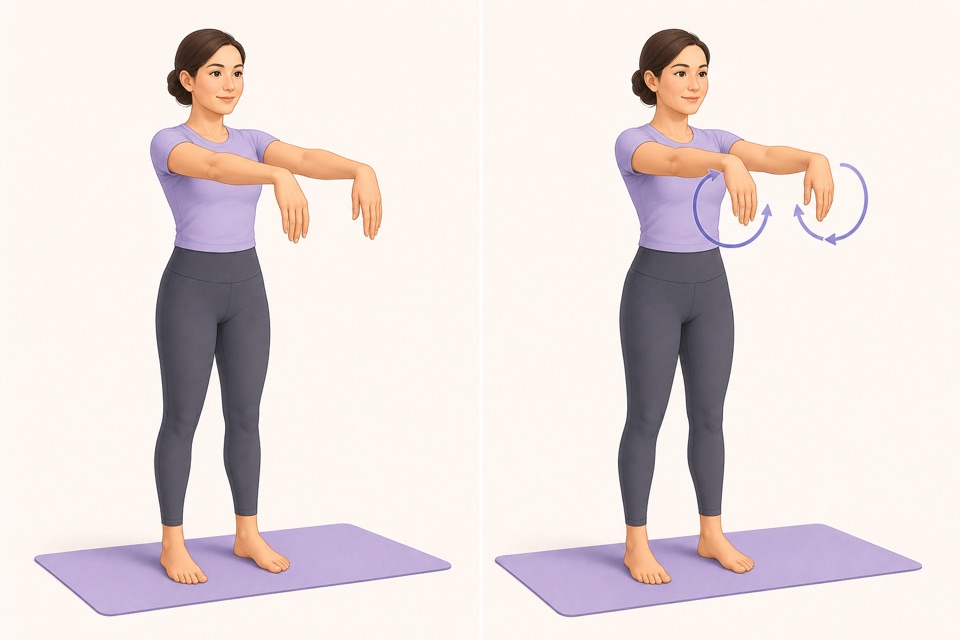
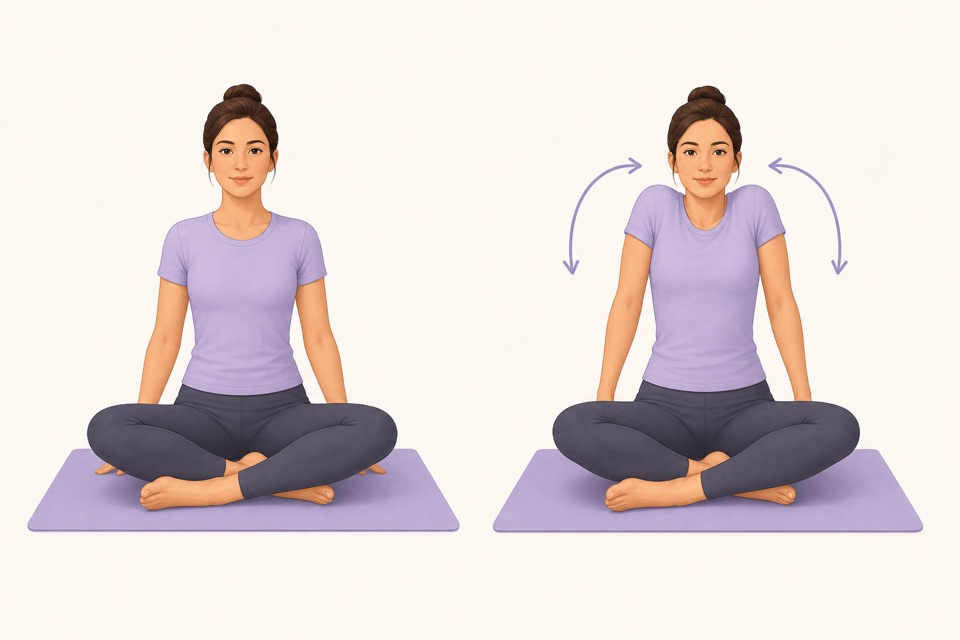
| Step | Time | What to do | Best for | | --- | ---: | --- | --- | | Forearm shakeout | 30 sec | Let the hands relax and shake gently | Releasing the mouse grip | | Wrist circles | 45 sec | Circle both wrists slowly each direction | Easy first movement | | Palm-up forearm stretch | 30 sec each side | Arm forward, palm up, gently guide fingers down and back | Palm-side forearm tightness | | Palm-down forearm stretch | 30 sec each side | Arm forward, palm down, gently guide fingers toward you | Top-side forearm tightness | | Finger opens | 45 sec | Open fingers wide, then relax | Keyboard and trackpad stiffness | | Shoulder drop | 45 sec | Roll shoulders, then let elbows hang close | Reducing arm bracing | | Desk reset | 45 sec | Move mouse close and keep wrists straighter | Keeping the reset from disappearing |
Forearm stretching is not a pain contest. If your hand clenches, your shoulder lifts, or you hold your breath, the stretch is too intense.
Why do forearms get tight from typing and mouse work?
Forearms get tight at a desk because the small muscles that move the wrist and fingers repeat the same low-level work for long blocks. A far-away mouse, bent wrists, lifted shoulders, and no movement breaks make the forearms keep working even when the task feels mentally easy.
Mayo Clinic and OSHA both point back to the same practical idea for computer work: keep the keyboard and mouse positioned so your wrists are straight, shoulders relaxed, and tools close enough that you are not reaching. Stretching helps more when the next minute of work does not recreate the same strain.
Use this quick setup check after the stretch:
- Keep the mouse close to the keyboard.
- Keep wrists straight instead of bent up, down, or sideways.
- Let elbows sit near your sides instead of reaching forward.
- Drop the shoulders before the next typing block.
- Use shortcuts when mouse work is the repetitive part.
- Take the next break before the forearms feel fully tired.
When should I do forearm stretches during the workday?
Do forearm stretches before the forearms feel fried. The best triggers are after a long writing block, spreadsheet session, design pass, editing sprint, gaming-style mouse session, or any task where you notice your grip getting heavier.
Most people skip breaks because they wait for a perfect stopping point. Use a smaller trigger instead:
| If you just finished | Do this reset | Why it helps | | --- | --- | --- | | A long email or document | Wrist circles plus palm-up stretch | Typing loads the finger and wrist flexors | | Spreadsheet or editing work | Palm-down stretch plus finger opens | Mouse and shortcut work can fatigue the top forearm | | A video call with laptop typing | Shoulder drop plus forearm shakeout | Raised shoulders make the arms brace | | A phone-scroll break | Thumb circles plus wrist circles | Phone posture often keeps the wrist curled |
Wiggle is useful here because the routine is already ordered and timed. Open a short desk routine, follow the next cue, and go back to work without inventing a mini-plan every time.
From Wiggle
Recommended moves
What should I pair with forearm stretches at a desk?
Pair forearm stretches with hand, shoulder, neck, upper-back, and whole-desk resets. The forearms are usually the loud part of the problem, but typing posture includes the keyboard, mouse, shoulders, neck, and upper back.
Useful next guides:
- Use wrist stretches at desk when the tightness is mostly around the wrist joint from typing, trackpad, or mouse work.
- Use hand stretches for office workers when fingers, thumbs, and wrists feel stiff too.
- Start broader with desk stretches when the whole workday posture feels stuck.
- Try shoulder stretches at desk if the forearm tension comes with raised shoulders.
- Use upper back stretches at desk when screen hunching is part of the pattern.
- Open stretching app with timer if remembering the break is the real blocker.
When should I stop forearm stretches?
Stop forearm stretches if the sensation turns sharp, electrical, numb, tingly, weak, swollen, or unusual. Gentle stretching is reasonable for mild everyday stiffness, but persistent or recurring hand, wrist, or forearm symptoms deserve professional guidance, especially after an injury or with a known medical condition.
MedlinePlus lists wrist problems as a broad category that can involve injuries, overuse, and medical conditions. In plain English: do not try to stretch your way through symptoms that feel like more than ordinary workday stiffness.
How can a stretching app make forearm stretches easier?
A stretching app helps when the blocker is friction. You may know the right idea already: take breaks, move gently, and stop gripping the mouse so hard. The hard part is choosing the next movement, timing it, and remembering the break before the forearms complain.
Wiggle reduces that effort with short guided routines, visual exercise cues, timers, and gentle reminders. For this use case, the next step is specific: start a 5-minute forearm-and-wrist reset after your next typing block, then return with the mouse closer and your wrists straighter.
Sources
Why we keep it gentle
These guides are written for everyday stiffness and habit-building. They are grounded in mainstream guidance on flexibility, movement, and when to seek medical help.
- Office ergonomics: Your how-to guideMayo Clinic
- Computer Workstations: KeyboardsOSHA
- Wrist Injuries and DisordersMedlinePlus
- Stretching: Focus on flexibilityMayo Clinic
FAQ
Questions people ask
What are the best forearm stretches at desk?
The best forearm stretches at desk are a gentle palm-up wrist flexor stretch, palm-down wrist extensor stretch, wrist circles, finger opens, and a light forearm shakeout. Use them for mild typing stiffness and keep the stretch easy, never sharp.
How long should a forearm stretch break take?
A useful forearm stretch break can take 4 to 6 minutes. That is enough time to move the wrists, stretch both sides of the forearm, relax the mouse grip, and reset your keyboard position before the next work block.
Why do my forearms get tight at my desk?
Forearms often feel tight at a desk because typing, mousing, scrolling, and gripping repeat small wrist and finger movements for long blocks. Stretching helps most when it is paired with a closer mouse, straighter wrists, relaxed shoulders, and regular movement breaks.
Should I stretch forearms if I have wrist or hand pain?
Use only gentle movement for mild everyday stiffness. Stop and get qualified guidance if you have sharp pain, numbness, tingling, weakness, swelling, injury-related symptoms, or pain that keeps returning. Do not force forearm stretches through symptoms.
How can Wiggle help with forearm stretches at desk?
Wiggle turns forearm stretches at desk into a short guided routine with visual cues, a timer, and simple exercise order. That makes it easier to take the break before your hands and forearms feel overloaded.