Wiggle guide
Best Stretching App for Building a Daily Habit
What to look for in a stretching app when you want short routines, gentle reminders, and a habit you can actually keep.
best stretching app
The best stretching app is not the one with the longest exercise library. It is the one you open on a normal day when you are busy, tired, stiff from sitting, and not in the mood for a full workout.
For most people, the winning app has short routines, clear timers, gentle progression, and reminders that do not feel like guilt. You want the app to remove decisions: what should I stretch, how long should I hold it, and when do I stop?
If you already know you want a routine-led experience, use the stretching routine app checklist to compare timers, presets, reminders, and repeatability before judging the size of an exercise library.
If you are choosing specifically on iPhone, use the stretching app for iPhone guide to check App Store trial details, subscription controls, timers, reminders, and the 30-second start test.
If your biggest problem is not knowing what to do next, start with the guided stretching app guide. It focuses on timers, cues, visuals, and the decision fatigue that stops most people before the first stretch.
What to look for
- Routines that start at 3 to 10 minutes.
- A timer that keeps you from checking your phone every few seconds.
- Categories for real situations: desk stiffness, tight hips, morning wake-up, and sleep wind-down.
- Visual instructions that are easy to understand without reading a long paragraph.
- A progress system that rewards consistency, not intensity.
For older adults or caregivers, start with the stretching app for seniors criteria so chair-friendly options, pause controls, and safety stop signs come before app-library size.
A simple test before you commit
- Open the app when you have only five minutes.
- Start a beginner routine without changing clothes.
- Notice whether the app makes you choose too much.
- Check whether the reminder schedule is respectful.
- Ask whether you would repeat the same flow tomorrow.
From Wiggle
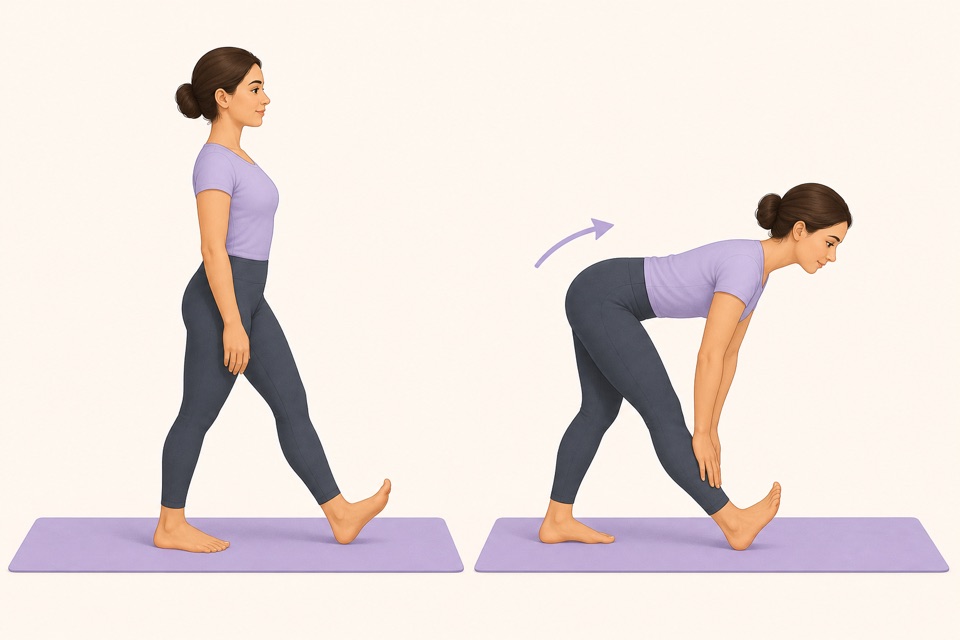
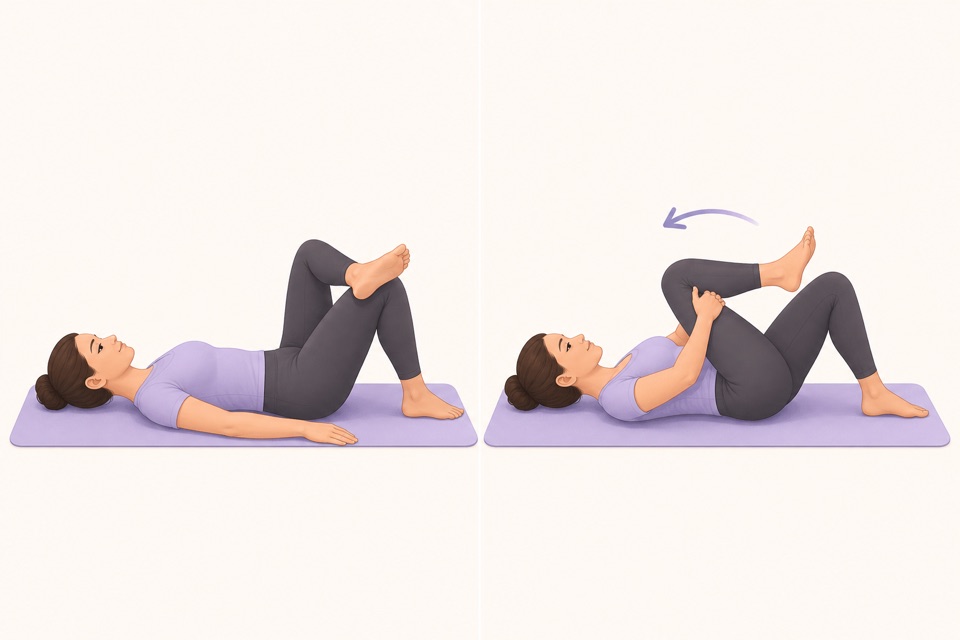
Recommended moves
Turn it into a routine
A stretching app should feel like a small reset button. If it asks for too much energy before you even begin, it will become another app you installed with good intentions and forgot.
This is where a guided app helps: the fewer decisions you make, the more likely you are to repeat the session. A visible timer, a clear next movement, and a saved routine remove the tiny bits of friction that usually stop a good intention.
Runners have a slightly different decision to make because cooldown timing, tired legs, and recovery days change the routine. If that is your use case, read the stretching app for runners guide next.
Sources
Why we keep it gentle
These guides are written for everyday stiffness and habit-building. They are grounded in mainstream guidance on flexibility, movement, and when to seek medical help.
- Stretching: Focus on flexibilityMayo Clinic
- Physical Activity Guidelines for AmericansU.S. Department of Health and Human Services
FAQ
Questions people ask
What should I check before choosing a stretching app?
Look for short routines, clear visual instructions, a visible timer, saved progress, and reminders that feel respectful. A stretching app should remove decisions instead of making you build every session from scratch.
Can beginners start with Wiggle?
Yes. Wiggle is built around short, guided sessions with gentle pacing, simple instructions, and beginner-friendly routines for desk days, tight hips, mornings, and bedtime.
Is Wiggle free to try?
Wiggle offers a 7-day free trial, then paid access. The app shows current subscription pricing clearly before you confirm through the App Store.
Why use an app instead of a saved video?
A saved video can be useful, but an app is better when you want a visible timer, reminders, saved routines, progress history, and a faster way to start the right session for the moment.
Should a stretching app be intense?
No. For everyday habit-building, the app should make gentle consistency easier. A short session that you repeat is more useful than an intense routine that makes you avoid the next one.
If you train for a sport, use the stretching app for athletes checklist to choose between a dynamic warm-up, cooldown, and separate flexibility session.