Wiggle guide
Stretching App for Tight Hips: Make Hip Work Easier to Repeat
How to use a stretching app for tight hips without forcing deep poses or overthinking the routine.
stretching app for tight hips
Tight hips are one of the most common reasons people try stretching again. The hard part is not finding one hip stretch. The hard part is remembering a balanced sequence and doing it often enough to matter.
Wiggle helps by turning hip work into a short guided routine: pick the session, follow the timer, move gently, and repeat later.
Quick answer
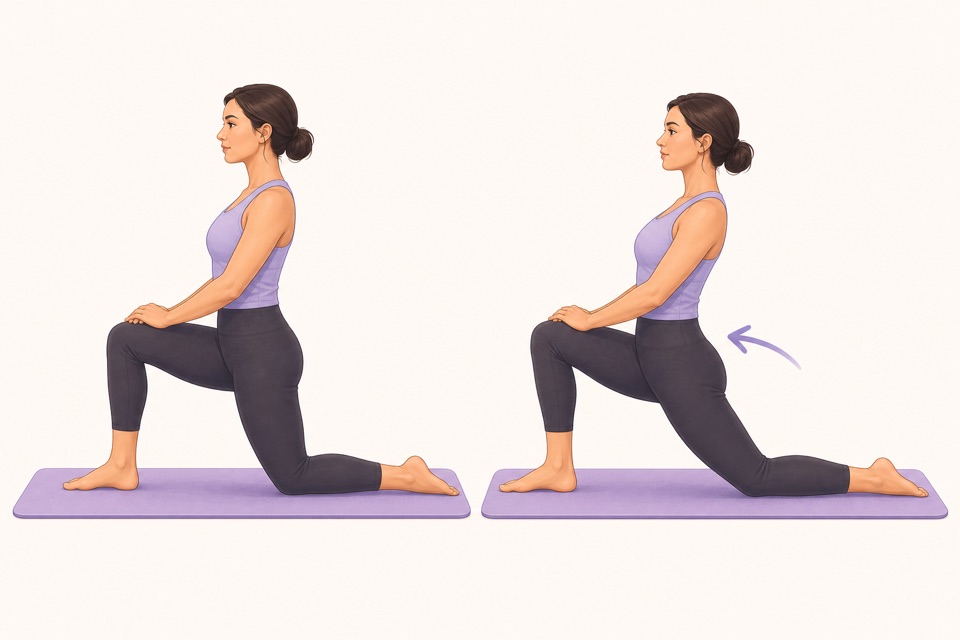
A stretching app for tight hips should combine hip flexor, glute, hamstring, and gentle rotation work in short timed sessions. The goal is repeatable comfort, not forcing a deep pose.
What a hip routine should include
- A hip flexor stretch for the front of the hip.
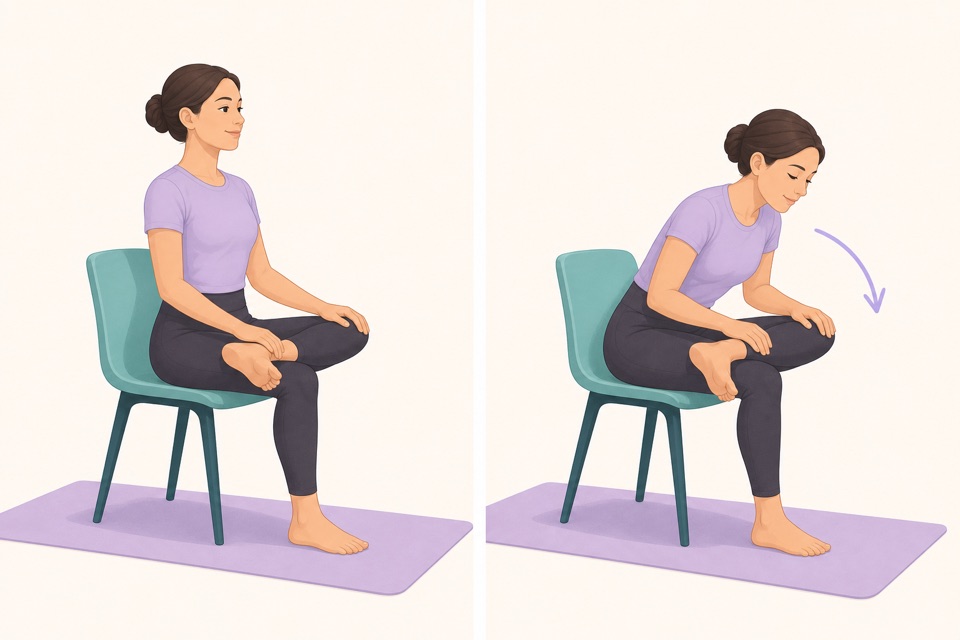
- A figure-four or glute stretch for the outer hip.
- A hamstring stretch with a soft knee.
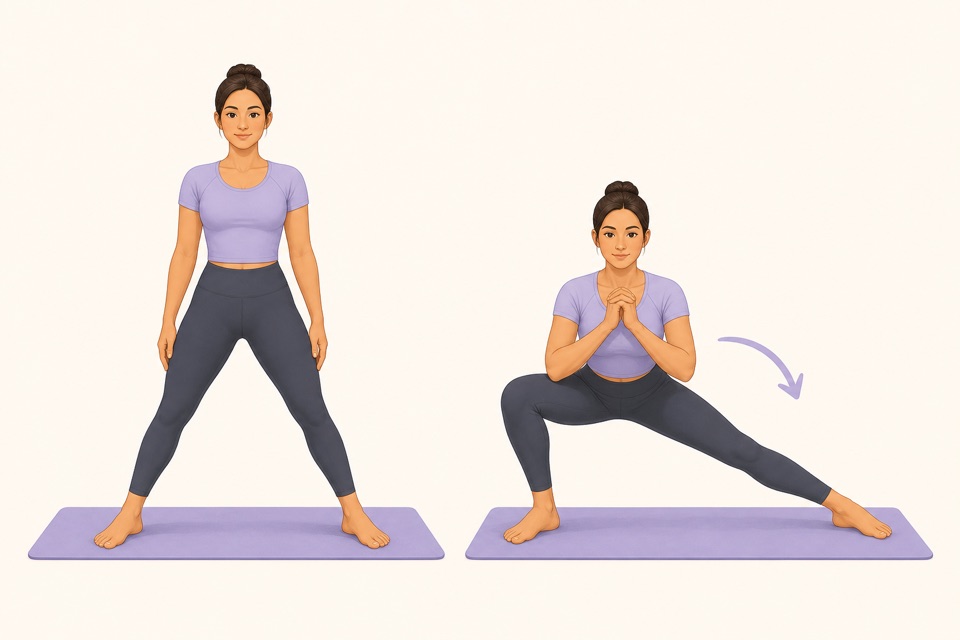
- Gentle side-to-side movement for adductors.
- A short walk or standing reset after the holds.
What the app should prevent
- Doing the same intense stretch every time.
- Holding your breath to chase range.
- Skipping one side because it feels different.
- Confusing sharp pain with useful tension.
- Forgetting to repeat the routine after the first day.
Good moments to use it
- After long sitting.
- Before an evening walk.
- After travel.
- Before bed when hips feel restless.
- As a five-minute reset between work blocks.
From Wiggle
Recommended moves
Turn it into a routine
Hip routines work best when they are calm enough to repeat. Wiggle makes the sequence predictable so you do not have to negotiate with yourself each time.
This is where a guided app helps: the fewer decisions you make, the more likely you are to repeat the session. A visible timer, a clear next movement, and a saved routine remove the tiny bits of friction that usually stop a good intention.
Sources
Why we keep it gentle
These guides are written for everyday stiffness and habit-building. They are grounded in mainstream guidance on flexibility, movement, and when to seek medical help.
- Stretching: Focus on flexibilityMayo Clinic
- Physical Activity Guidelines for AmericansU.S. Department of Health and Human Services
- Back painMedlinePlus
FAQ
Questions people ask
What should I check before choosing a stretching app?
Look for short routines, clear visual instructions, a visible timer, saved progress, and reminders that feel respectful. A stretching app should remove decisions instead of making you build every session from scratch.
Can beginners start with Wiggle?
Yes. Wiggle is built around short, guided sessions with gentle pacing, simple instructions, and beginner-friendly routines for desk days, tight hips, mornings, and bedtime.
Is Wiggle free to try?
Wiggle offers a 7-day free trial, then paid access. The app shows current subscription pricing clearly before you confirm through the App Store.
Why use an app instead of a saved video?
A saved video can be useful, but an app is better when you want a visible timer, reminders, saved routines, progress history, and a faster way to start the right session for the moment.
Should a stretching app be intense?
No. For everyday habit-building, the app should make gentle consistency easier. A short session that you repeat is more useful than an intense routine that makes you avoid the next one.