Wiggle guide
Best Flexibility App for Beginners Who Do Not Want a Full Workout
How to pick the best flexibility app when you want gentle guidance, short routines, and no performance pressure.
best flexibility app
A flexibility app should make your body feel invited, not judged. If the app starts with advanced poses, long routines, or social pressure, it may be great for athletes but wrong for someone trying to build a basic habit.
Wiggle focuses on small guided sessions because most people need a lower-friction path into flexibility work.
Quick answer
The best flexibility app for beginners is not the most advanced one. It is the one that helps you repeat short, comfortable sessions with clear timing and no pressure to perform.
The right selection criteria
- Beginner-friendly routines under ten minutes.
- Clear visuals for each stretch.
- A timer that keeps your attention off the clock.
- Categories that match daily life: desk, hips, back, morning, bedtime.
- Gentle reminders and simple progress tracking.
How to tell if it fits your life
- You can start a routine in under 30 seconds.
- The language is simple enough to follow while moving.
- You feel calmer after finishing, not behind.
- The session works in normal clothes.
- You can imagine repeating it tomorrow.
Why shorter often wins
- Short sessions create less resistance.
- They fit around work and family.
- They make missed days easier to recover from.
- They help beginners learn the movement names.
- They build identity before intensity.
From Wiggle
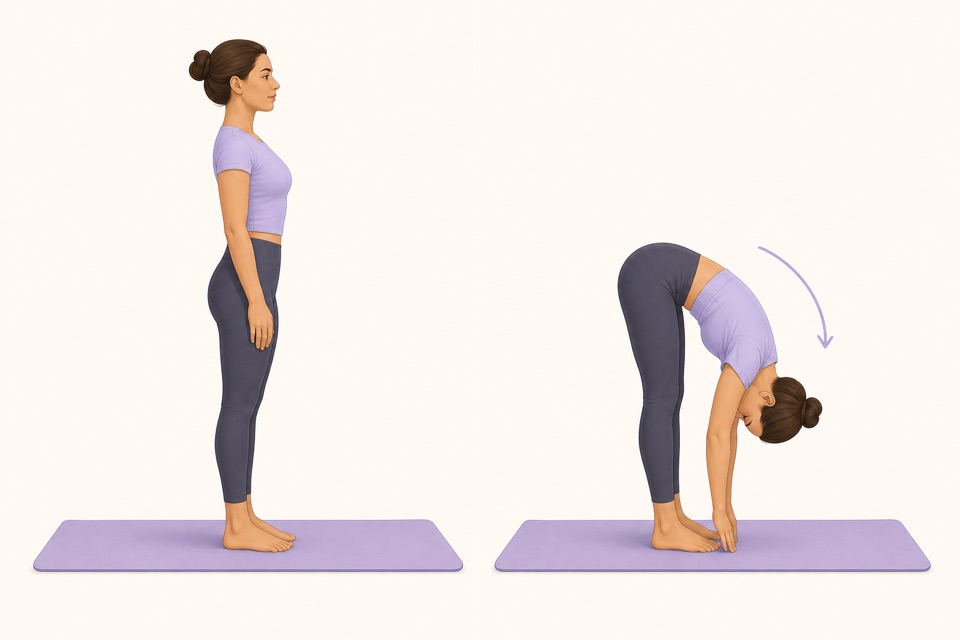
Recommended moves
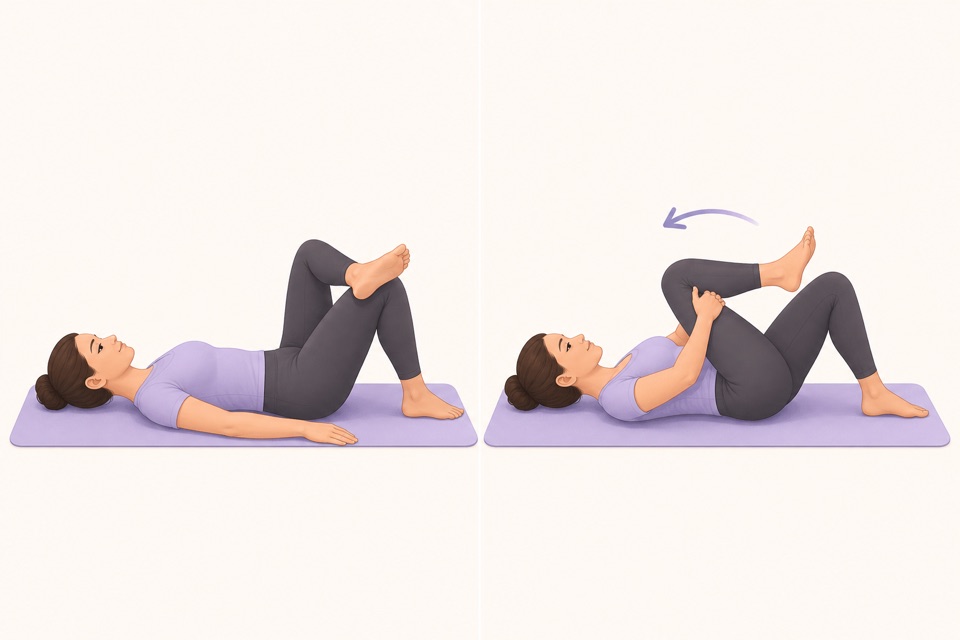
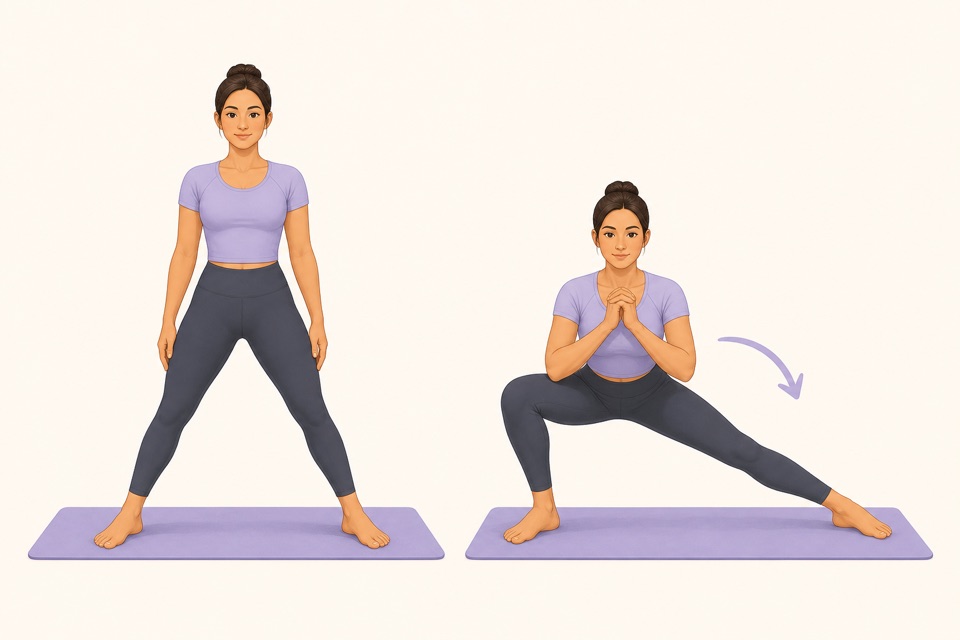
Turn it into a routine
The best flexibility plan is the one that survives a busy week. Wiggle keeps the first step small enough that you can actually take it.
Training for dance needs a more specific split between dynamic preparation and relaxed range work. The stretching routine for dancers shows how to organize both without forcing turnout or maximum range before class.
This is where a guided app helps: the fewer decisions you make, the more likely you are to repeat the session. A visible timer, a clear next movement, and a saved routine remove the tiny bits of friction that usually stop a good intention.
Sources
Why we keep it gentle
These guides are written for everyday stiffness and habit-building. They are grounded in mainstream guidance on flexibility, movement, and when to seek medical help.
- Stretching: Focus on flexibilityMayo Clinic
- Physical Activity Guidelines for AmericansU.S. Department of Health and Human Services
- Back painMedlinePlus
FAQ
Questions people ask
What should I check before choosing a stretching app?
Look for short routines, clear visual instructions, a visible timer, saved progress, and reminders that feel respectful. A stretching app should remove decisions instead of making you build every session from scratch.
Can beginners start with Wiggle?
Yes. Wiggle is built around short, guided sessions with gentle pacing, simple instructions, and beginner-friendly routines for desk days, tight hips, mornings, and bedtime.
Is Wiggle free to try?
Wiggle offers a 7-day free trial, then paid access. The app shows current subscription pricing clearly before you confirm through the App Store.
Why use an app instead of a saved video?
A saved video can be useful, but an app is better when you want a visible timer, reminders, saved routines, progress history, and a faster way to start the right session for the moment.
Should a stretching app be intense?
No. For everyday habit-building, the app should make gentle consistency easier. A short session that you repeat is more useful than an intense routine that makes you avoid the next one.